A basketball scoreboard on your gym TV
With the ScoreboardCast app a big TV becomes the scoreboard for a basketball game. The game is run from a phone, the TV shows the points, game clock, quarter and team fouls, and at the end of a quarter the TV sounds the horn.
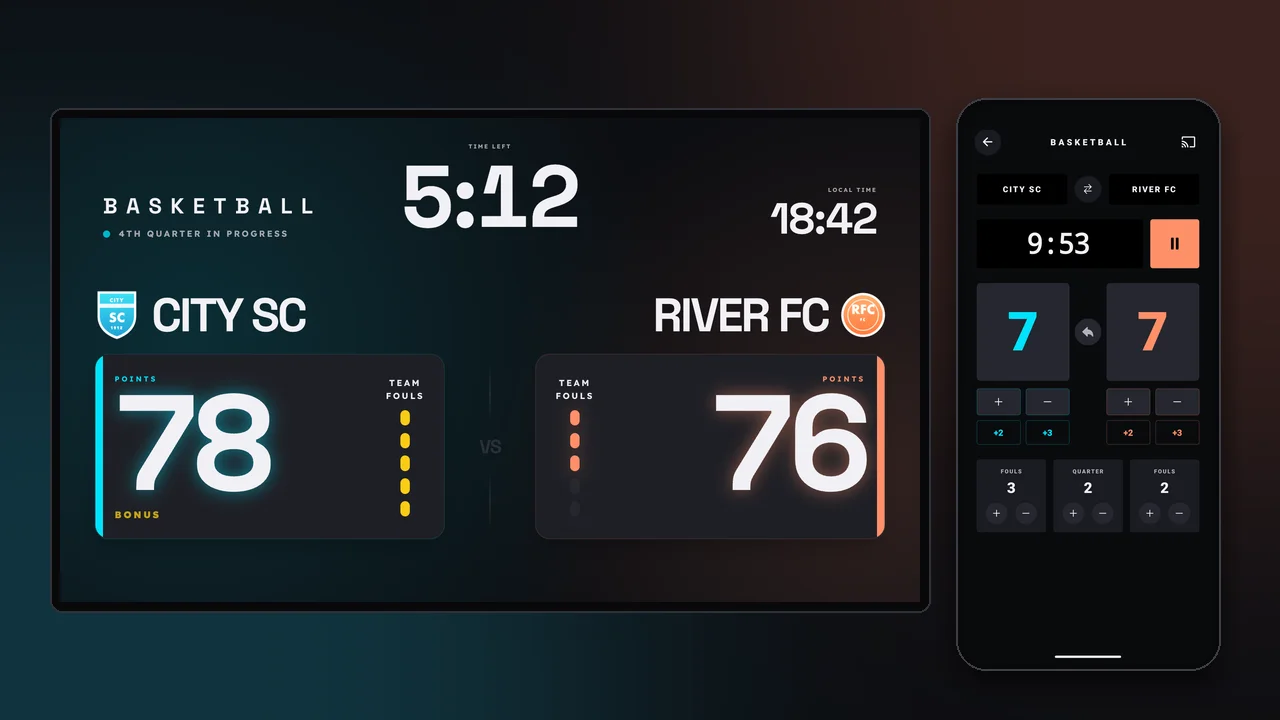
What the TV shows
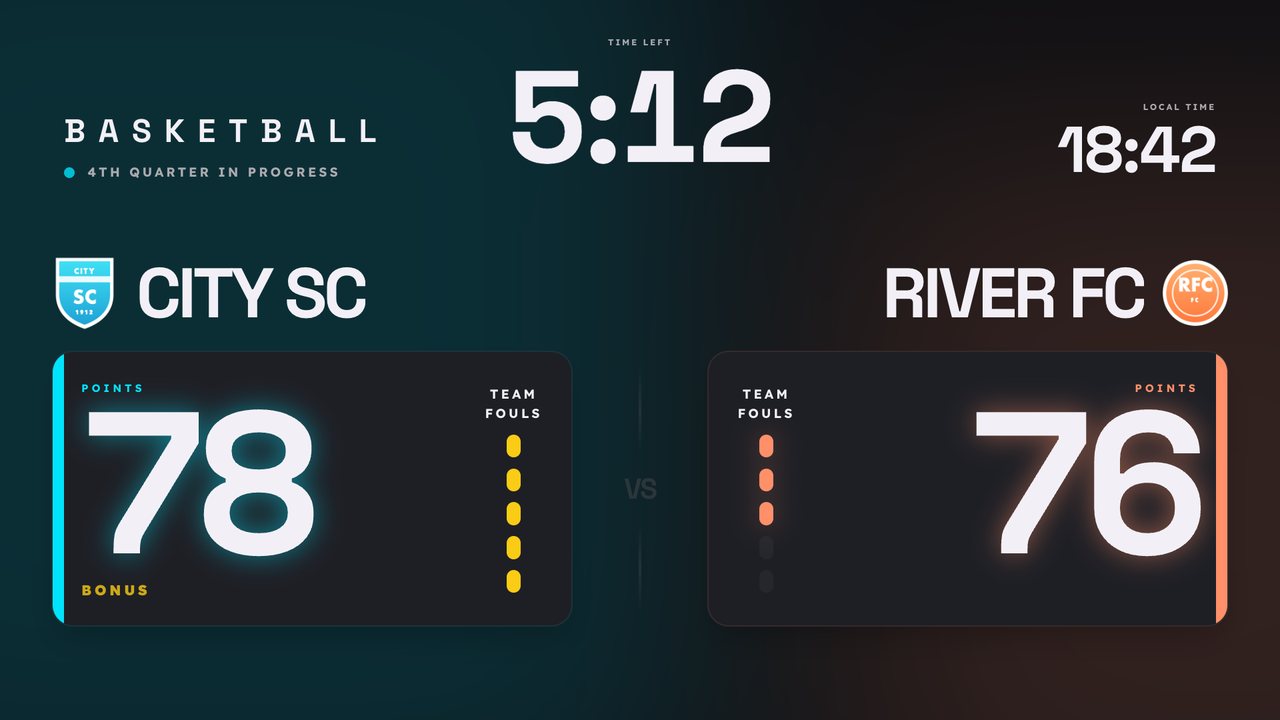
- Both teams’ points in large numbers
- The game clock and the current quarter
- Team fouls, with a clear bonus signal
- The winner at the end of the game
Game clock with a horn
The clock is started and stopped from the phone. The TV keeps time on its own clock, so the time shown stays accurate even if the phone locks. At the end of each period the TV sounds the horn by itself. Four quarters by default, anywhere from one to four, of 8, 10 or 12 minutes or any other length. A tie goes to overtime, 5 minutes by default.
Points and fouls in one tap
Twos and threes each have their own button, and a wrong point can be undone. Team fouls are counted per quarter, and at the fifth the TV shows BONUS. If the team is saved with a roster, fouls can be recorded per player too, and the app flags a player who fouls out.
With your club’s branding
With a Pro subscription the TV shows the club or school crest and each team’s own color and crest, and sponsor logos rotate at breaks and between games. Teams can be saved together with their rosters.
What you need
- A Google Cast-enabled TV, or any TV with an external Chromecast
- An Android phone with the free ScoreboardCast app
- Wi-Fi that both the phone and the TV are on
The TV checker tells you in two minutes whether a given TV works. In a gym the TV should sit behind a ball guard.
Frequently asked questions
Is the basketball scoreboard free?
Yes. Basketball with the game clock, fouls and horn is part of the free version. Pro adds the club crest, team colors, sponsors and saved teams.
Can I set the number and length of quarters?
Yes. One to four quarters, of 8, 10 or 12 minutes or any other length. Overtime length can be set too.
Who can run the game?
Anyone who uses a phone, whether a coach, a scorer or a teacher. One basket is one tap, and a wrong point can be undone.
Do I need internet in the hall?
The TV needs internet when the display starts. During the game the local Wi-Fi that the phone and the TV share is enough.
Which TV do I need?
A Google Cast-enabled TV, for example one running Google TV or Android TV. For any other TV an external Chromecast or Google TV Streamer is enough.
All sports: volleyball, basketball, handball, floorball, futsal, table tennis, badminton, Cooper test timer, beep test, gym interval timer.